Show your product in the customer’s world
Pokaz builds real-time 3D configurators for blinds, furniture and other made-to-order products. Shoppers try every option in a sunlit room and see the price as they go. Then they order knowing what will arrive.
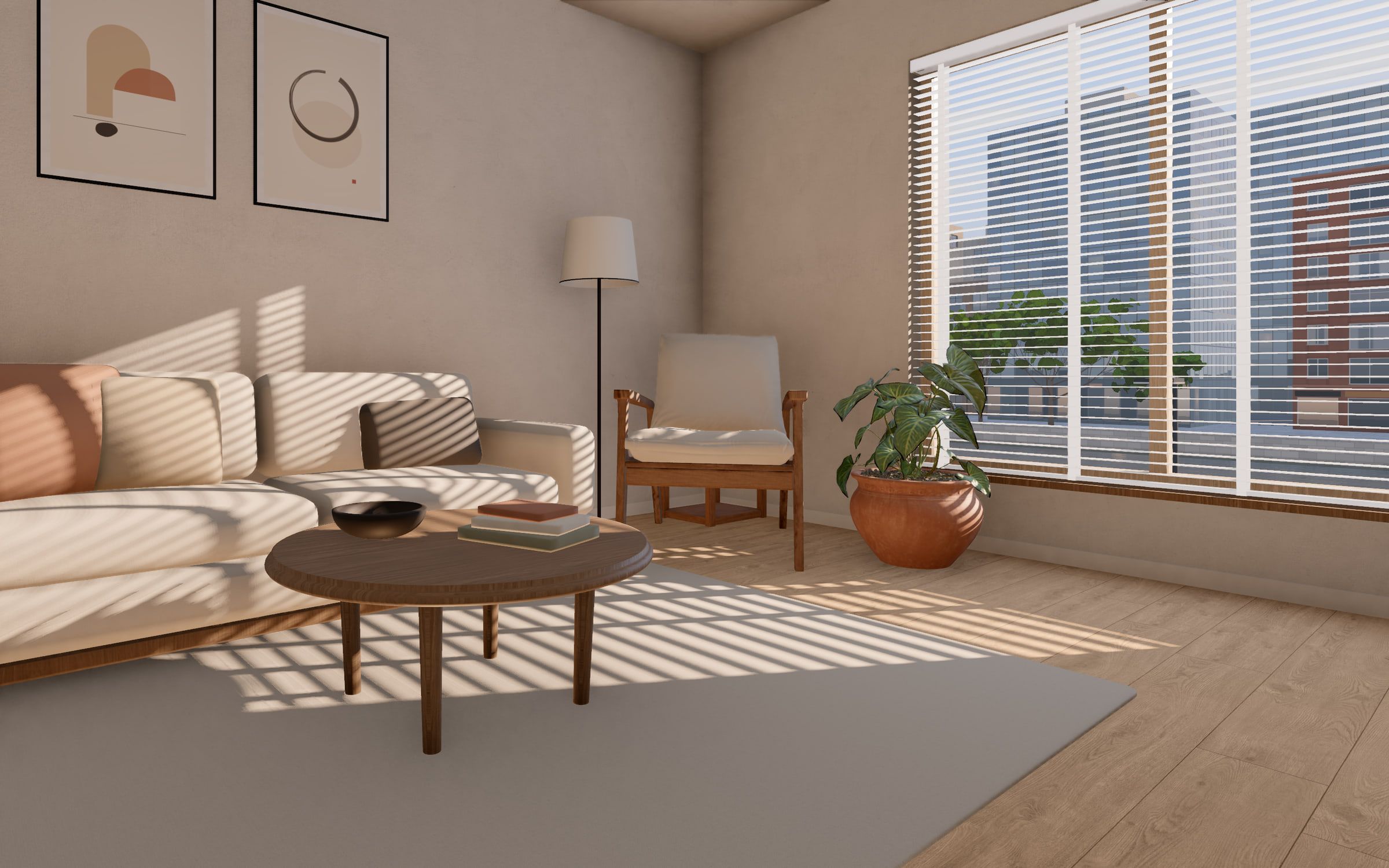
Louver, our concept configurator for blinds, runs live in your browser. It is not a video.
A product photo answers the wrong question
Shoppers don’t ask how a blind looks on white. They ask what it will do to their room on a winter afternoon. For products made to order, a photo can’t answer that.
What it does to the room
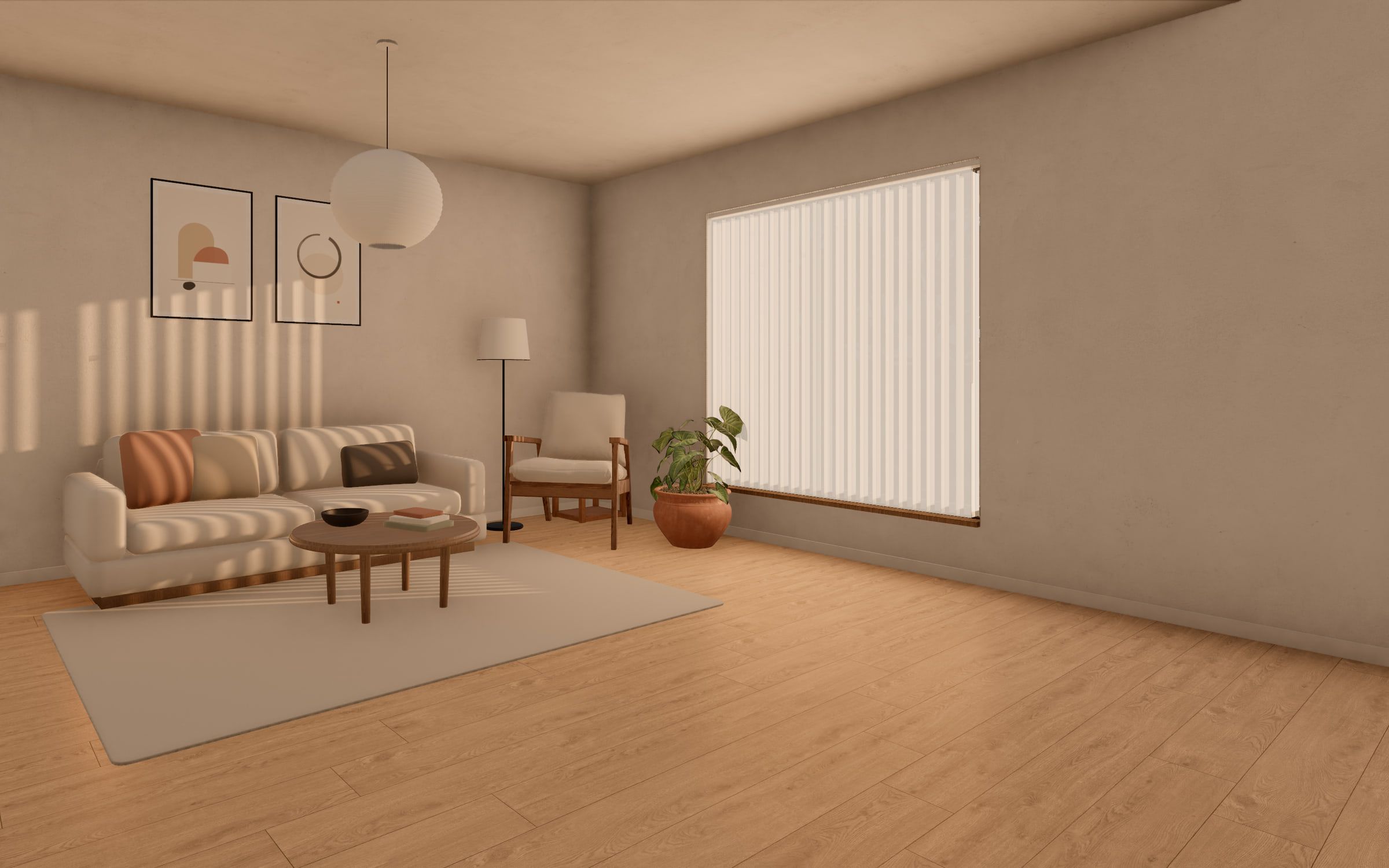
How it looks on white

Kasumi · Sheer vertical · Ivory
One finish out of dozens
You offer many materials and colours. No one can photograph every mix in every room, so most combinations are never seen.
One moment of the day
A photo is lit once. A room changes from morning to night, and so does a sheer blind, an oak floor or a linen sofa.
Questions instead of orders
When shoppers can’t see it, they ask. “What will it look like?” lands with your sales team, or the shopper waits and does nothing.
Real-time 3D configurators, built around your product
Shoppers see what they are buying, so they order with confidence, and fewer “what will it look like?” questions reach your team. We make the whole thing: your products in 3D, the room, the light, the controls and the link to your store.
Your products, modelled in 3D
We create photoreal models of your products and materials, sized to load fast on the web. We start from your CAD files, or from drawings, photos and material samples. Products made of parametric parts, like blinds or shelving, we generate in code from your catalog data.
Light and materials that read as real
A sun that moves with the hour, the season and the way the window faces. Oak, linen and metal that catch it the way they do at home. Your range looks as premium on screen as it does in your showroom.
A live price
Each choice updates the price as it is made: type, material, colour, size and options. Shoppers know the cost before they ask.
A guided tour and a step-by-step mode
A short tour walks shoppers through what matters, chapter by chapter. The step-by-step mode asks one question at a time, for shoppers who like to be led.
One configurator, many product lines
Products, materials, colours and prices are data, not code. Add a collection, launch a new line or white-label it for a second brand on the same build. One configurator serves your whole range.
Smooth on every screen
It runs in the browser on phones, tablets and laptops, with no app to install. It sets its quality to suit each device, so the scene stays smooth and the controls fit the screen, down to a thumb on a phone.
Into your cart, at the right price
The configured product goes into your Shopify, WooCommerce or headless cart with its exact configuration and its live price, straight through to checkout. For made-to-measure products sold through a consultation, it starts a quote or a lead instead.
Concept project
Louver: change the blind, watch the room change
We built Louver to show what a configurator can do for a premium blinds brand. A calm living room, lit by a sun that moves through the day. Pick a blind and the light in the whole room changes with it.
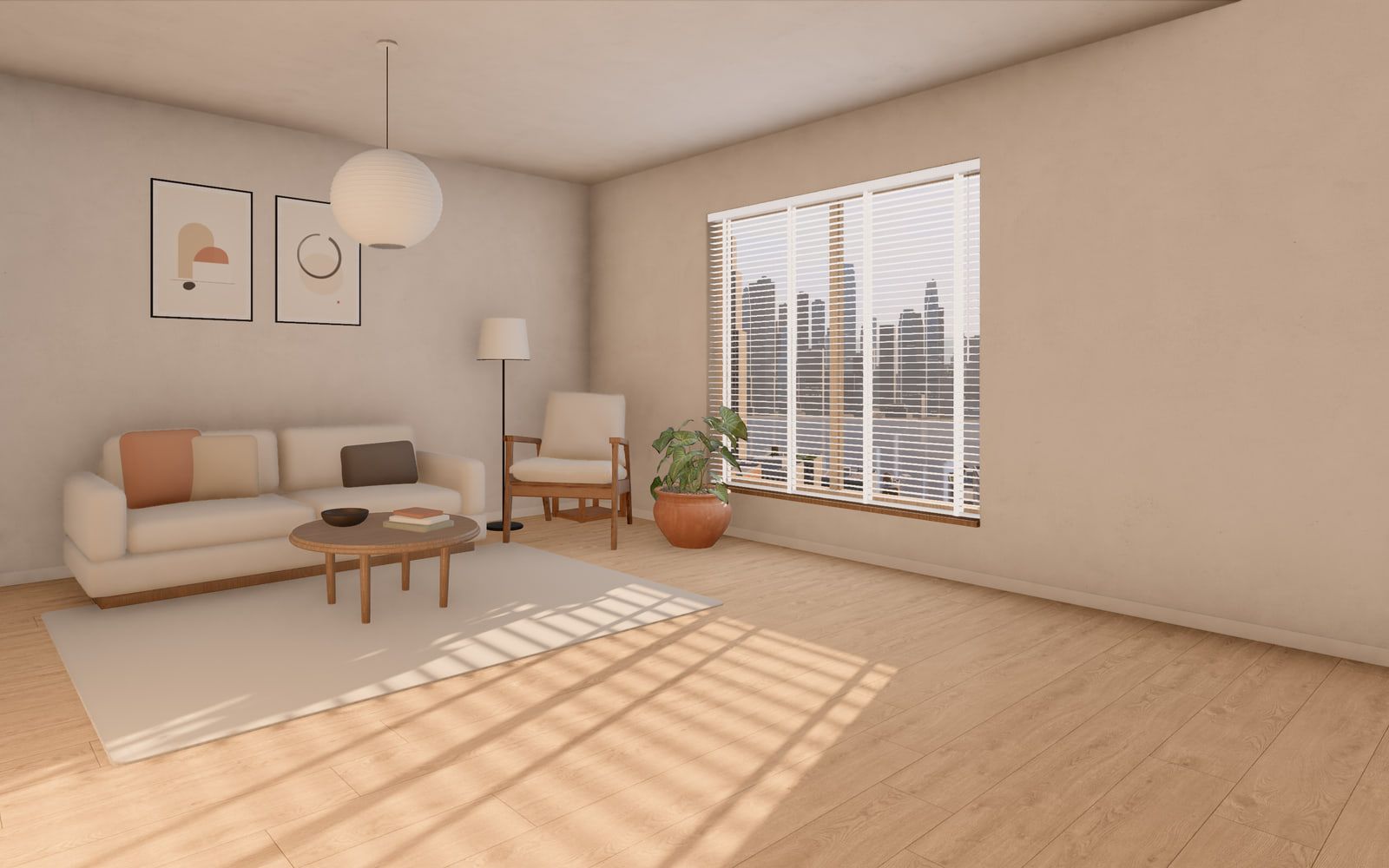
Five blind types
Venetian, vertical, roller, pleated and day and night. Each one is built in 3D from catalog data.
A sun that keeps time
Set the hour, the season, the way the window faces and a clear or grey sky. The light follows.
Three views outside
A garden, a city across a river or a skyline from the 35th floor. Each one tints the light in the room.
A live price
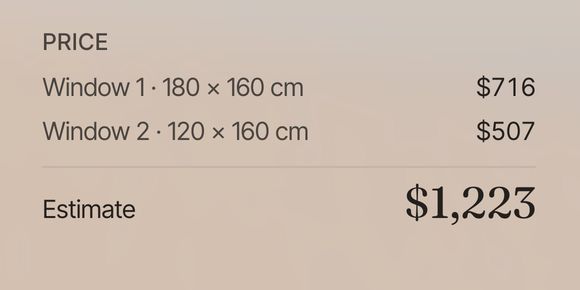
Every choice updates the estimate, for up to three windows, each with its own size.
Live in your browser, not a video. Opens in a new tab and sets its quality to your device.
For anything bought for a room
Louver shows blinds. The same approach fits anything made to order and judged in a room. Here is what yours would let shoppers see.
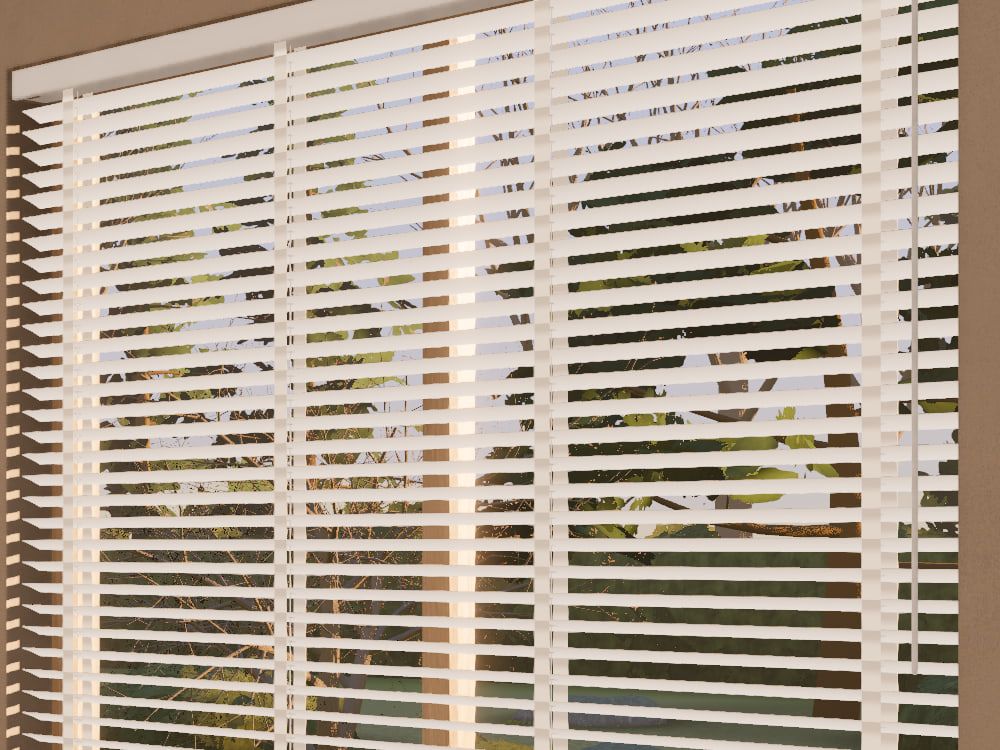
In Louver · The real wood Venetian, slats tilted, 1:45 pm, winter Blinds and shades
How each fabric filters the sun, how slats draw stripes across the floor, and how private the room is at night. Louver shows all three.
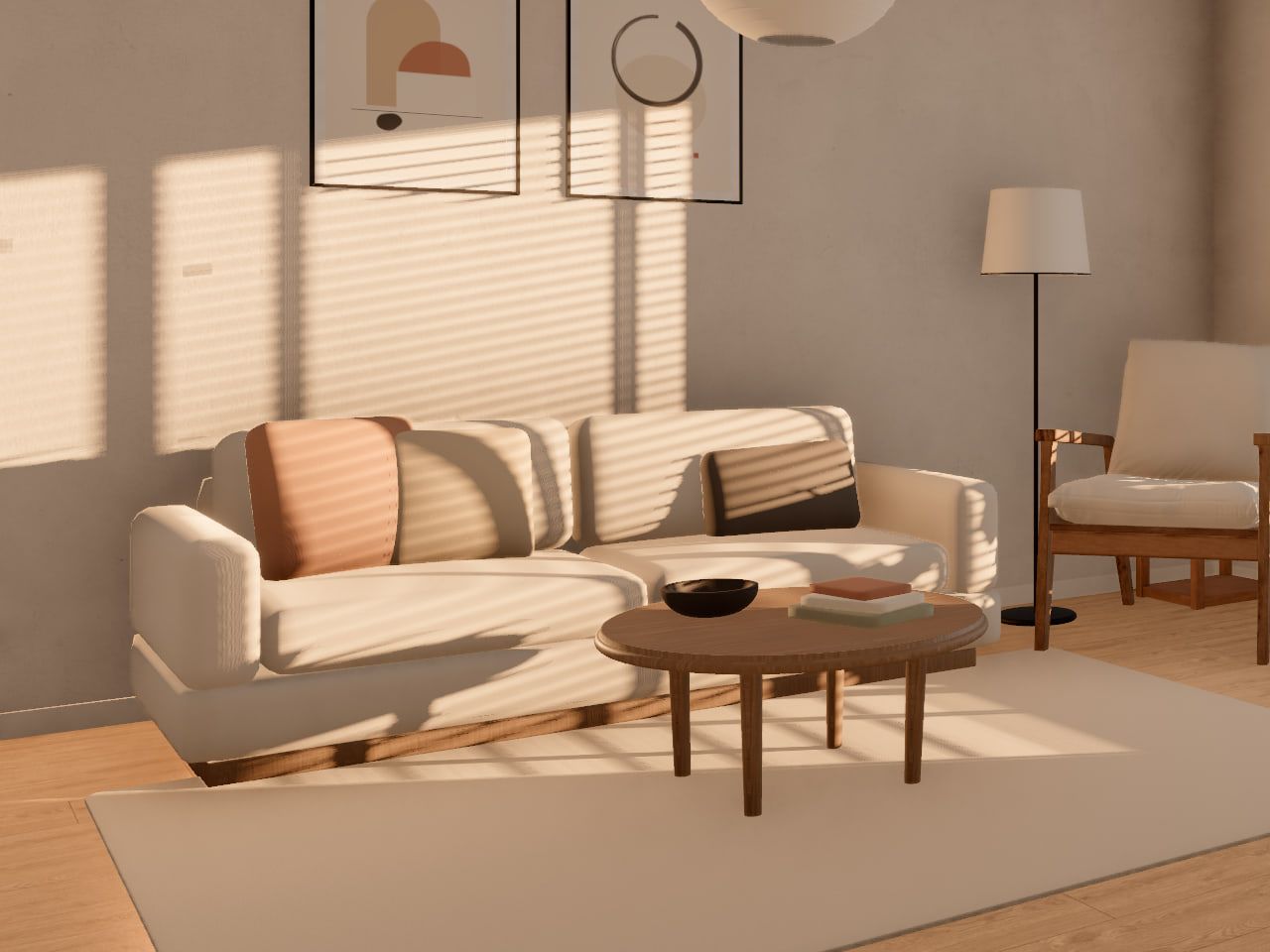
In Louver · The sofa under the slats’ stripes, 1:45 pm, winter Furniture
A sofa in every fabric, leg and size, set in a furnished room, so the shopper sees the colour in morning light and under a lamp at night.
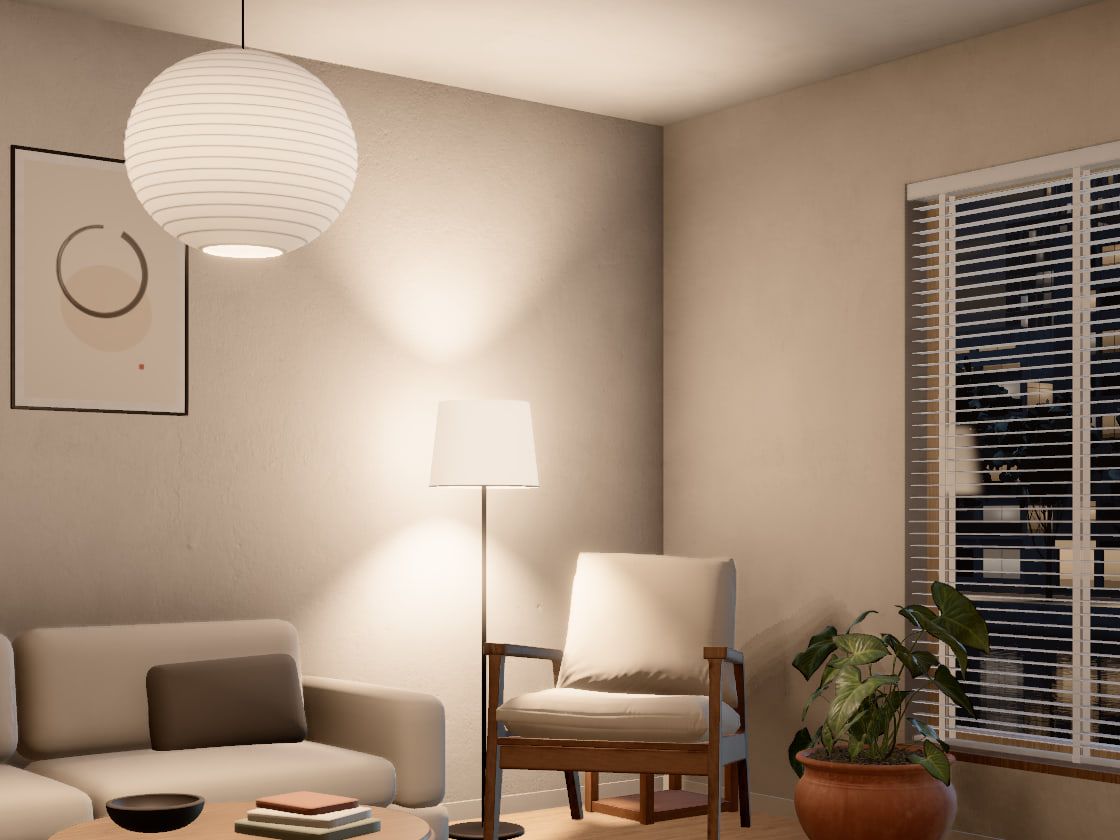
In Louver · The pendant and the floor lamp, 10 pm Lighting
A lamp switched on in a dim room: the warmth of its light, the glow through the shade, and how it mixes with the last of the daylight.
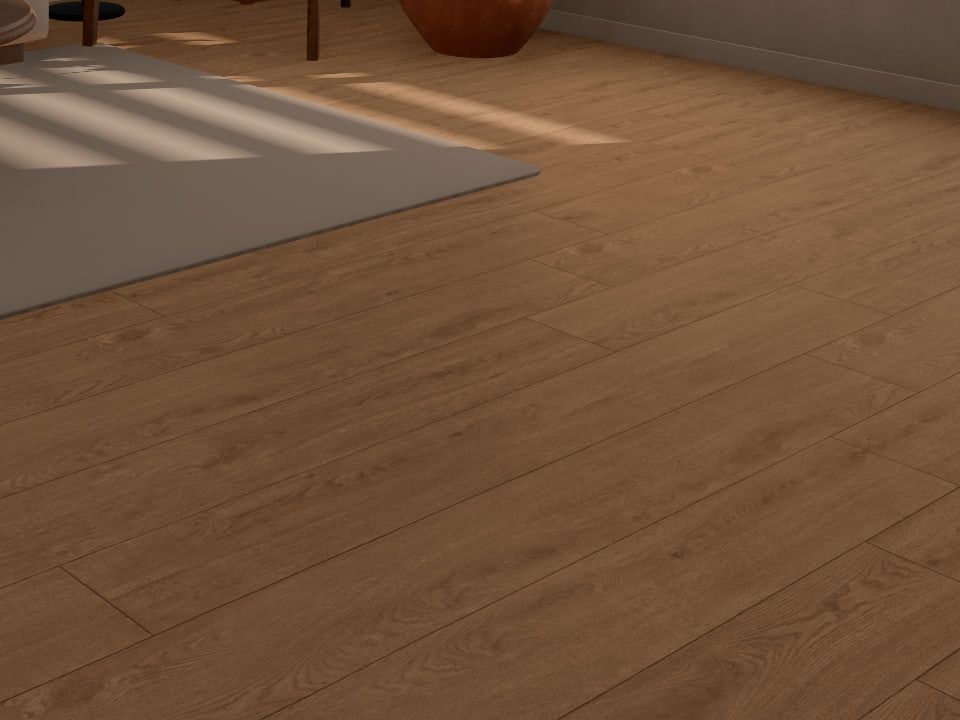
In Louver · The oak floor and the rug, 8 am, spring Flooring
Oak, stone or vinyl across a whole room, with the sun on it, so grain and tone read at full scale and not as a small sample.
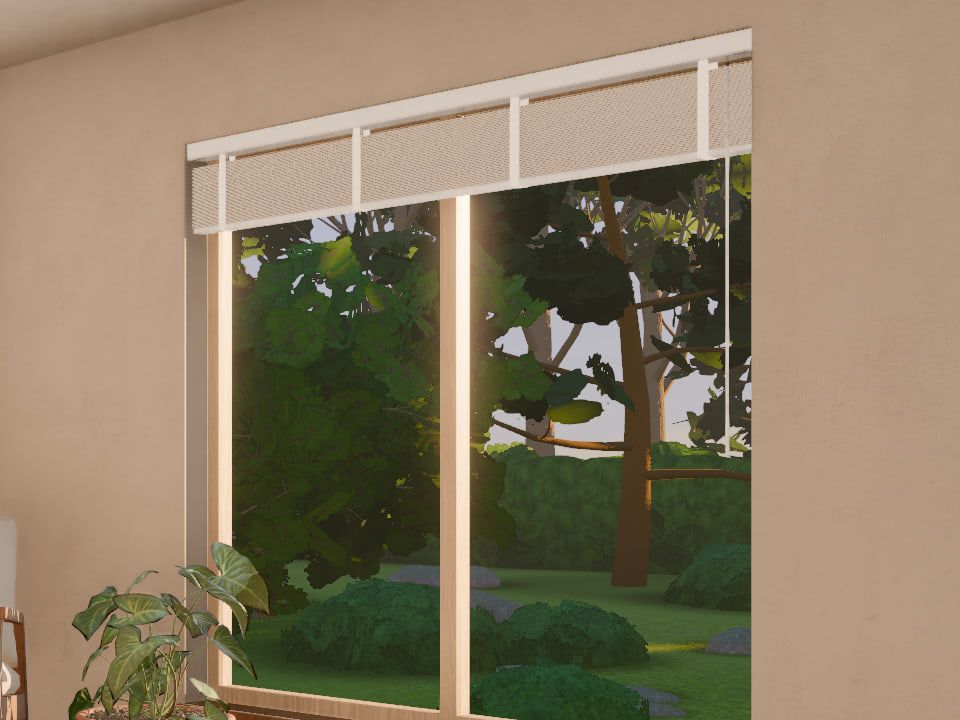
In Louver · The west window, blind raised, 7:27 pm, summer Windows and doors
Frame colours, glazing bars and handles, seen from inside and out, with the light that comes through them.
Kitchens
Fronts, worktops and handles together, in daylight and under cabinet lights, so the whole mix is seen before it is made.
How a project runs
Five steps from the first call to launch. At each one we say what we need from you, so nothing waits.
Discovery
We learn your range, your shoppers and your store. Together we agree what the configurator must do, how it sells and what it can leave out.
From you
Your product range, how you price it, your brand guidelines and one person who can answer questions.
Your products in 3D
We model every product and material from what you have, CAD or samples, and agree the look on a first model before we do the rest. Then we design the room they live in.
From you
Your product data and prices, CAD files if you have them, otherwise drawings and photos, and samples of your materials.
Configurator build
We build the scene, the light and the controls. You get a working link early and watch it grow.
From you
Feedback on each preview, and sign-off on the look and the words.
Store integration
We connect it to your store, or to the quote flow your team already uses. Then we test every path, from a first choice to a finished order.
From you
Access to your store, a staging copy if you have one, and your pricing rules.
Launch and iteration
We launch it, tuned for the phones, tablets and laptops your shoppers use, and watch how they use it. Then we refine it and add products as your range grows.
From you
A launch date that suits you, and new products or prices when they change.
Every project is scoped individually
We don’t sell packages, and we don’t guess at prices. The size of a project comes down to a few things. We go through them with you before we quote.
- Your range
- How many product types, materials, colours and options, and the rules between them.
- The 3D models
- How many products and materials, and what we start from.
- The scene
- One room or several, the views outside, day and night, and how close the camera gets.
- Pricing
- A simple price list, or full made‑to‑measure price grids with surcharges.
- The store
- Cart, quote flow or both, and on which platform.
- Markets
- Languages, currencies and units, such as centimetres or inches.
After a call, you get a written proposal: a fixed scope, its price and a dated plan for each step.
Ask for a proposalQuestions worth asking
If yours isn’t here, ask it in your message. We answer every one.
How long does a project take?
It follows the size of your range, the products we model and how deep the store link goes. The 3D models and your pricing rules usually take the most time. You see a working preview early, and your written proposal gives a dated plan for every step before any work starts.
What does it cost?
Every project is scoped individually, so there is no price list. After a call we send a written proposal with a fixed scope and its price. Tell us your budget in the first call and we’ll say plainly what fits.
Will it work with our store?
Yes. We integrate with Shopify, WooCommerce and headless stacks; if you run something else, we look at it in the first call. The configurator sits on a product page or on a page of its own, and your checkout stays the one your shoppers already know.
Does it work on phones?
Yes, and smoothly. Phones are part of every round, not a last check: you open each preview on your own phone as it grows.
Will it slow down our store?
No. The 3D scene loads only on the page that uses it, when a shopper opens that page, so the rest of your store stays as fast as it is today. Models and textures are sized for each device. When nothing moves, the scene stops drawing, so an open tab costs almost nothing.
Who makes the 3D models?
We do, from your CAD files, drawings, photos or samples. You approve the first model before we build the rest.
Can one configurator cover several product lines or brands?
Yes. Products, materials, colours and prices live in a catalog kept apart from the 3D scene. A new collection is a data change, and each brand you sell under can get its own look on the same build.
Can we start with one product line?
Yes, and it is a good way to start. You see how your shoppers use it, and later lines join the same build instead of starting a new one.
Who looks after it after launch?
We do. Care after launch covers fixes, browser updates, new products and seasonal changes, and the proposal sets it out. Because the catalog is data, most product and price changes are quick.
Who owns the configurator?
Ownership and licensing are set out in the proposal, in plain words, before any work starts.
What do you need from us to start?
A few lines about your products, a link to your store and what you want shoppers to be able to do. That is enough for a first call.
Do you work with companies outside Poland?
Yes. We work remotely, in English or Polish, on Central European Time.
Who’s behind Pokaz
I’m Przemysław Rakowski, a Full Stack Developer with eight years of experience, most of it in e‑commerce.
I’ve built headless storefronts in React, Sanity and Shopify for large brands, Shopify theme storefronts, and integrations with Shopify, BigCommerce, Wix, Squarespace, Commercetools and other platforms.
Pokaz brings that store work to 3D. When you write, your message comes to me.
Tell us about your product
A few lines are enough: what you make, where you sell it and what you’d like shoppers to see. No brief needed.
What happens after you write
We reply. Within a few working days, with a short answer and any questions we have.
We talk. A call about your range, your store and what you want shoppers to be able to do.
You get a proposal. In writing: the scope, the price and a dated plan. No obligation.
Prefer email? Write to przemek.rakowski@gmail.com
The form couldn’t start, so nothing was sent. Please write to us at przemek.rakowski@gmail.com instead.